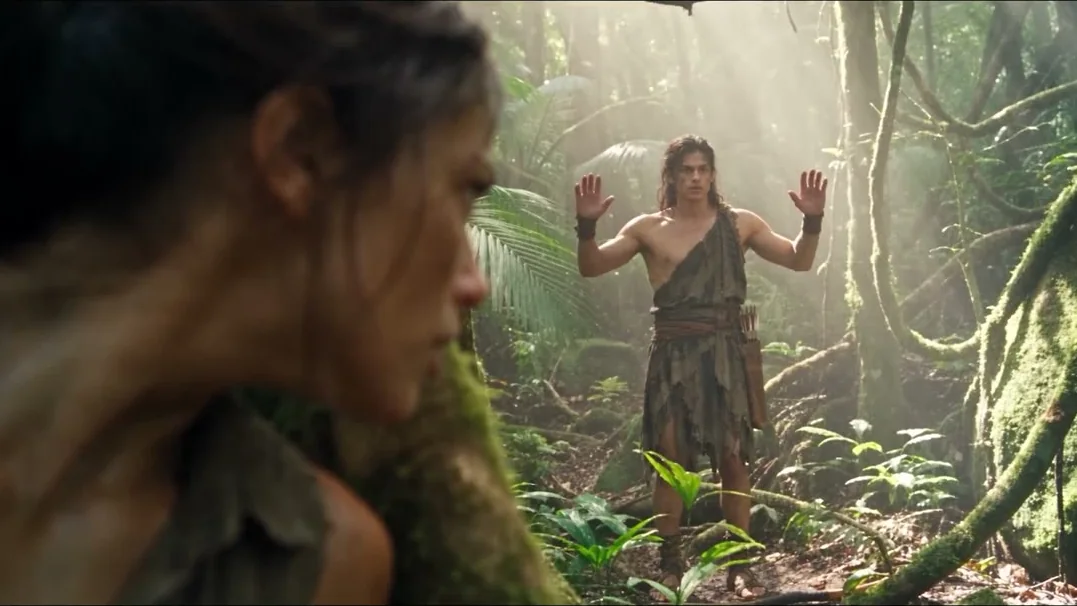
Why making works better than watching
Most AI trainings end with notes. You have seen a demo, copied a few prompts and a week later you no longer remember how it went. What sticks is what you did yourself.
That is why this workshop did not end with a summary, but with a film that each participant had directed themselves. Video is a rewarding subject for that: you see straight away whether it worked, and you quickly notice where AI helps you and where you have to make the choices yourself.
The set-up: forty minutes of explanation, two making rounds
The workshop lasted two hours. The first forty minutes covered how a model goes from noise to film, with a short quiz: real or AI? Then the laptops opened and everyone got to work.
| Part | What happens | What you can do afterwards |
|---|---|---|
| Explanation, 40 minutes | How AI video works, a quiz and the example film with all its prompts | Recognise what a model does well and what it does not |
| Round 1 | From idea to images: story, shooting script, characters and locations | Turn an idea into prompts that fit together |
| Round 2 | From images to video, and showing what you made | Put together a short film yourself |
| The other side | Resource use, consent, copyright and labelling, with four statements | Weigh up when AI video is a good fit |
Participants received an assignment site with both rounds and a starter pack, so nobody started with a blank screen.
Step 1: the idea in four sentences
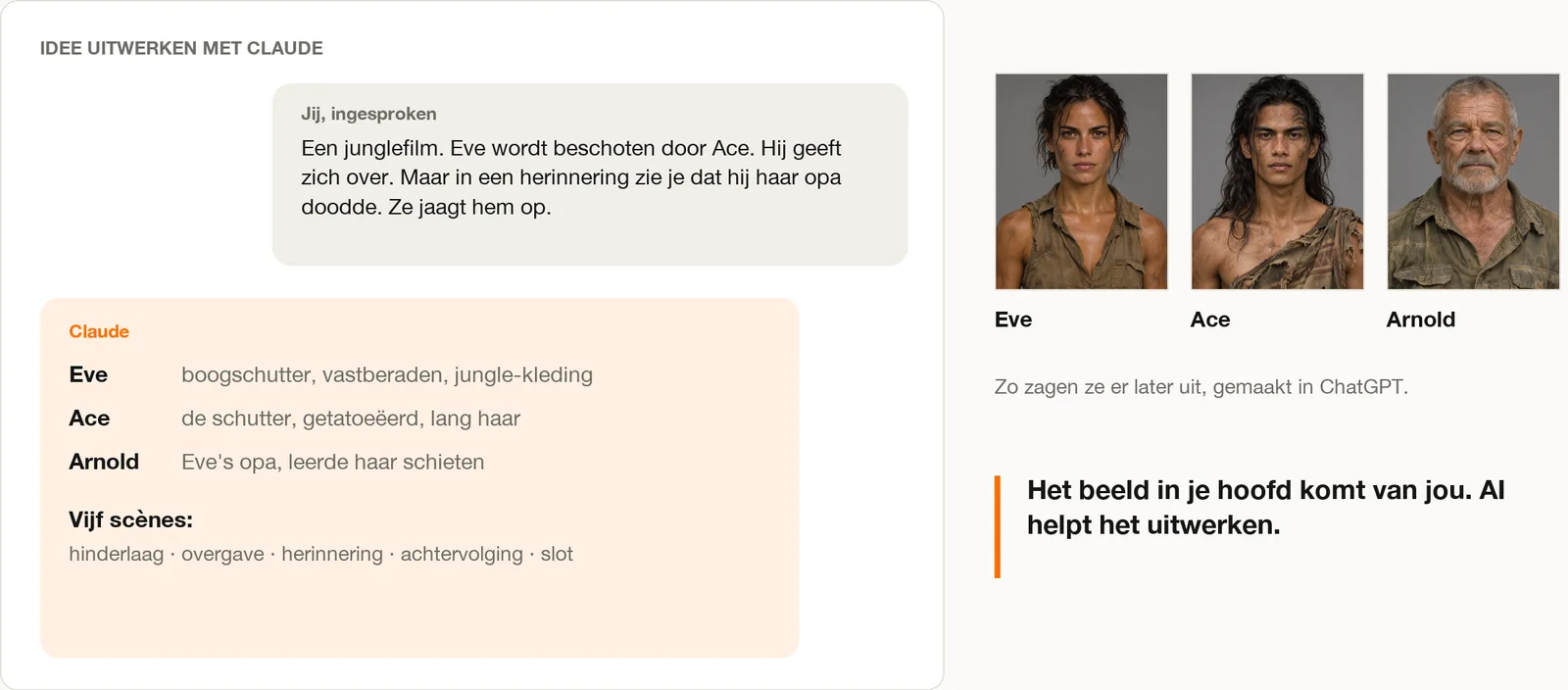
Every film started with four sentences: who, where, what happens and how it ends. Participants developed those four sentences with Claude. That order is deliberate. The image in your head comes from you. AI helps develop it, but the choices stay with the maker.
If you skip that step and press the button straight away, you get what is now called slop: images that are technically correct and about nothing. The difference between slop and direction was one of the threads running through the afternoon.
Step 2: a shooting script per block
A video model makes short clips. A one-minute film is therefore made of blocks that have to connect. Participants received a file that turns their idea into a shooting script, second by second, with the prompts for characters and locations included. In the workshop, it was called the AI director.
The example film I had made in advance shows how that turns out: 64 seconds, four blocks and three characters, made with Claude, Wispr Flow, ChatGPT and Seedance. Participants took all the prompts home.
Step 3: the face first, then the rest
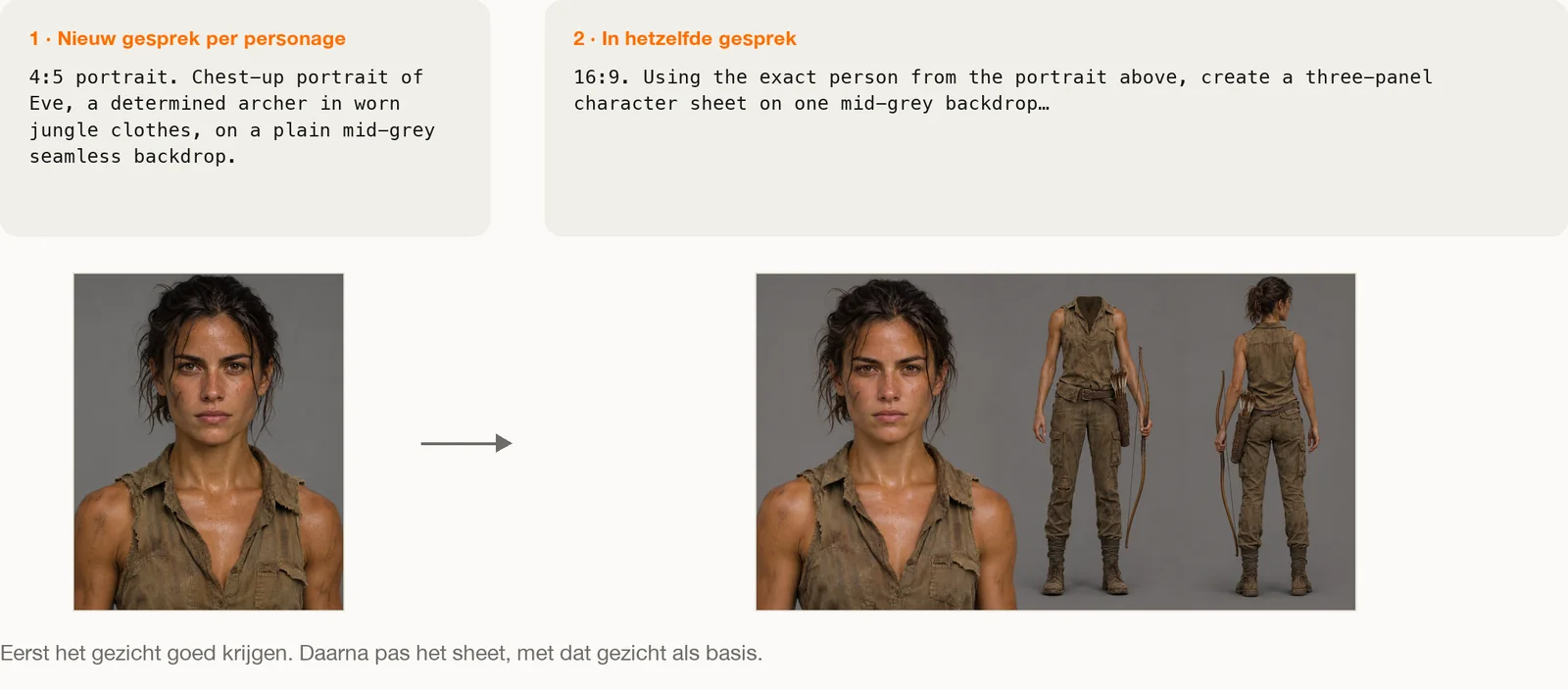
The biggest frustration with AI video is a main character who looks different in every shot. The solution is simple and often skipped: give the model one clear face first. So first a portrait, and only then a sheet with three views of the same character. With that sheet as a reference, someone stays recognisable from block to block.
What went wrong, and why that is part of it
In my own example film, not everything went right the first time. I showed those failed attempts, along with how to fix them. That is not a weakness of a training, it is the core of it. Anyone who only sees the polished end result thinks they are doing it wrong at the first setback. Anyone who has seen it go wrong for the trainer too simply tries again.
The other side: what an AI video costs
An honest workshop on AI video is also about what it costs. One short AI video uses more electricity than hundreds to thousands of chat questions. That is not a reason never to do it, but it is a reason to think about when it is worth it.
Three further questions came up that you should ask on every project:
- Consent. Can you simply put a recognisable person in an AI video?
- Copyright. Who owns the images and styles you use as examples?
- Labelling. Is it clear to the viewer that the images were made with AI?
The group voted on four statements. Not to reach agreement, but because you only have a position once you have had to defend it out loud.
The best AI workshop I have attended.Participant, AI video workshop at MKB Werkplaats Utrecht
What you can use from this in your own team
Your team does not need to make films to get something out of this. The set-up works for any subject, from quotations to customer questions:
- Start with your own work. The idea, the case or the task comes from the participant, not from a course binder.
- Keep the explanation short. Forty minutes was enough for people to get started on their own afterwards.
- Show what goes wrong. An example with mistakes teaches more than a perfect demo.
- End with something finished. A film, a working prompt, a first automation. Something you can show.
- Discuss what is allowed and what it costs. Without those agreements, AI use stays invisible or gets held back.
- Keep the group small. With fourteen participants, everyone could get personal help while making.
The AI training from STN Studio is built the same way: your own work is the practice material. The full set-up of this afternoon is in the Prompt the Impossible case.
Frequently asked questions
Do you need experience to take part in an AI video workshop?
No. The workshop starts with how AI video works, and everyone gets a starter pack and an assignment site. A laptop and an idea in four sentences is enough.
Which tools were used in the workshop?
Claude and ChatGPT for the idea and the prompts, Wispr Flow for dictation, Seedance and WaveSpeed for the images and the video, and CapCut to edit the film.
How big can the group be?
This workshop had fourteen participants. Ideally a group stays under fifteen, so that everyone gets personal help while making.
Can this workshop also be held at our location?
Yes. The workshop is built around your own examples and given at your location. The subject does not have to be video: the same set-up works for any kind of work.